

In today’s always-on digital landscape, knowing whether your application is healthy isn’t just nice to have, it’s essential. ASP.NET Core Health Checks provide a powerful, built-in framework for monitoring your application’s vital signs, helping you detect and respond to issues before they impact users.
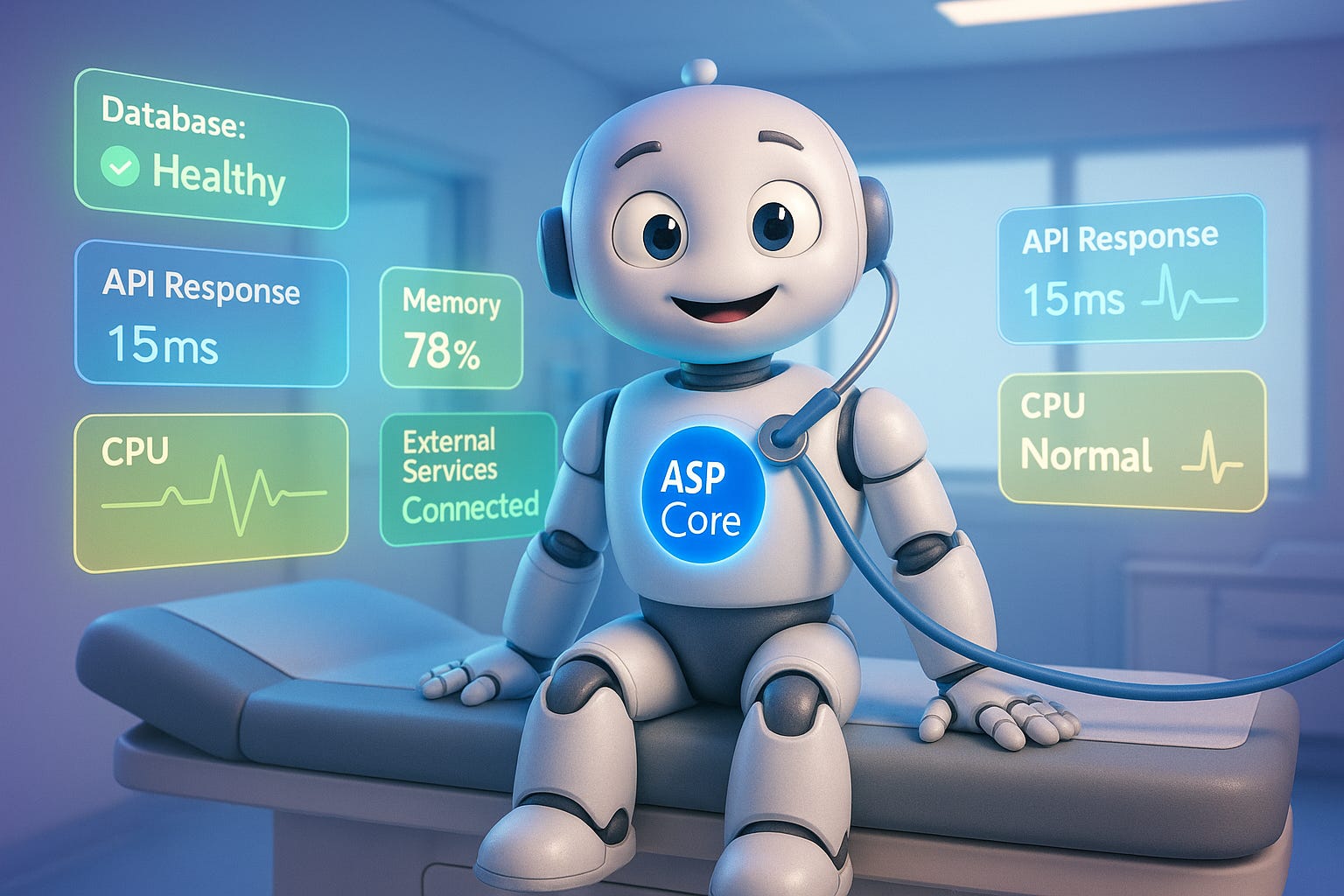
This comprehensive guide explores how to implement effective health monitoring that keeps your applications running smoothly and your users happy.
Understanding the Heartbeat of Your Application
Picture this scenario: it’s 3 AM, and your production application is experiencing intermittent database connectivity issues. Without proper health monitoring, you might not discover the problem until angry emails start flooding your inbox hours later. This is where ASP.NET Core Health Checks come to the rescue, acting as your application’s early warning system.
Health checks in ASP.NET Core are more than just simple ping endpoints. They represent a sophisticated monitoring framework that can assess various aspects of your application’s health, from database connectivity and external service availability to custom business logic validation. Think of them as regular medical checkups for your application, catching potential problems before they become critical failures.
The beauty of ASP.NET Core’s health check system lies in its simplicity and extensibility. With just a few lines of code, you can set up basic monitoring, and as your needs grow, you can expand to include comprehensive checks across all your application’s dependencies. Whether you’re running a simple web API or a complex microservices architecture, health checks adapt to your needs, providing visibility into your system’s operational status.
The Foundation: Setting Up Basic Health Checks
Getting started with health checks in ASP.NET Core is refreshingly straightforward. The framework provides everything you need out of the box, requiring minimal configuration to get your first health endpoint up and running. Let’s walk through the process of setting up your initial health monitoring infrastructure.
First, you’ll need to add the health check services to your application’s service collection. In your Program.cs file (or Startup.cs for older versions), you simply call AddHealthChecks() on the service collection. This single line of code registers all the necessary services for health monitoring. From there, you map the health check endpoint using the routing middleware, typically at a path like “/health” or “/healthz” following Kubernetes conventions.
var builder = WebApplication.CreateBuilder(args);
builder.Services.AddHealthChecks();

var app = builder.Build();
app.MapHealthChecks(”/health”);
app.Run();
This basic setup creates a simple health endpoint that returns a 200 OK status when your application is running and a 503 Service Unavailable when it’s not. While this might seem too simple, it’s actually quite powerful for basic monitoring scenarios. Load balancers, container orchestrators, and monitoring tools can use this endpoint to determine if your application instance is alive and ready to receive traffic.
But the real power of health checks emerges when you start adding specific checks for your application’s dependencies. The framework allows you to register multiple health checks, each responsible for verifying a specific aspect of your system’s health. These checks run in parallel by default, providing efficient monitoring without blocking your application’s normal operations.
Diving Deeper: Implementing Custom Health Checks
While the basic health endpoint tells you whether your application is running, real-world applications need more sophisticated monitoring. This is where custom health checks shine, allowing you to verify specific business requirements and dependencies that are unique to your application.
Creating a custom health check involves implementing the IHealthCheck interface, which requires a single method: CheckHealthAsync. This method returns a HealthCheckResult that indicates whether the check passed, failed, or is in a degraded state. The flexibility of this approach means you can check virtually anything—from verifying that a critical configuration file exists to ensuring that your application can successfully authenticate with an external API.
Consider a scenario where your application depends on a third-party payment processing service. You could create a health check that attempts to authenticate with the payment API and verify that it’s responding within acceptable timeframes. If the service is down or responding slowly, your health check can report a degraded or unhealthy status, alerting you to potential issues before they affect actual transactions.
public class PaymentServiceHealthCheck : IHealthCheck
{
    private readonly HttpClient _httpClient;

    public PaymentServiceHealthCheck(HttpClient httpClient)
    {
        _httpClient = httpClient;
    }

    public async Task<HealthCheckResult> CheckHealthAsync(
        HealthCheckContext context,
        CancellationToken cancellationToken = default)
    {
        try
        {
            var response = await _httpClient.GetAsync(”/api/status”, cancellationToken);

            if (response.IsSuccessStatusCode)
            {
                return HealthCheckResult.Healthy(”Payment service is responding normally.”);
            }

            return HealthCheckResult.Degraded($”Payment service returned {response.StatusCode}”);
        }
        catch (Exception ex)
        {
            return HealthCheckResult.Unhealthy(”Payment service is unavailable”, ex);
        }
    }
}
The three-state health model (Healthy, Degraded, Unhealthy) provides nuanced reporting that’s particularly valuable in complex systems. A degraded status might indicate that while the service is functioning, it’s not performing optimally. Perhaps, response times are slower than usual or some non-critical features are unavailable. This granularity helps operations teams make informed decisions about system maintenance and scaling.
Database Health Monitoring: Your Data’s Pulse
Database connectivity is often the most critical dependency for modern applications. A database outage can bring your entire system to a halt, making database health checks essential for any production deployment. ASP.NET Core provides built-in health checks for popular databases through NuGet packages, making it easy to monitor your data layer’s health.
The AspNetCore.HealthChecks.SqlServer package, for example, provides a ready-to-use health check for SQL Server databases. With a single line of configuration, you can verify that your application can connect to the database and execute queries. This check goes beyond simple connectivity testing. It actually attempts to open a connection and execute a simple query, ensuring that the database is not just reachable but actually operational.
builder.Services.AddHealthChecks()
    .AddSqlServer(
        connectionString: builder.Configuration.GetConnectionString(”DefaultConnection”),
        name: “sql”,
        timeout: TimeSpan.FromSeconds(3),
        tags: new[] { “db”, “sql”, “sqlserver” });
The timeout parameter is particularly important for database health checks. You want to detect problems quickly without having health checks themselves become a performance bottleneck. A timeout of 3-5 seconds typically provides a good balance between reliability and responsiveness. If your database can’t respond within this timeframe, it’s likely experiencing issues that warrant investigation.
For applications using Entity Framework Core, you can leverage the AddDbContextCheck method, which automatically creates a health check for your DbContext. This approach is particularly elegant because it uses your existing database configuration and connection management, ensuring consistency between your application’s data access and health monitoring.
Beyond basic connectivity, advanced database health checks might verify specific conditions like available disk space, replication lag in distributed databases, or the presence of required stored procedures and tables. Some teams implement checks that verify critical data integrity, such as ensuring that lookup tables contain expected values or that data synchronization processes are running on schedule.
Monitoring External Dependencies
Modern applications rarely exist in isolation. They integrate with various external services, from authentication providers and payment gateways to messaging systems and cloud storage. Each of these dependencies represents a potential point of failure, making their monitoring crucial for maintaining overall system health.
HTTP-based health checks are among the most common types of external dependency monitoring. The AspNetCore.HealthChecks.Uris package provides a convenient way to verify that external HTTP endpoints are accessible and responding correctly. You can configure these checks to verify not just that an endpoint returns a successful status code, but also that it responds within an acceptable timeframe and returns expected content.
For example, if your application depends on an external authentication service, you might configure a health check that periodically attempts to retrieve the service’s OpenID Connect discovery document. This verifies not just that the service is reachable, but that it’s properly configured and ready to handle authentication requests. Such proactive monitoring can help you detect configuration changes or service degradation before they affect your users.
Message queue health checks are equally important for applications that rely on asynchronous messaging. Whether you’re using RabbitMQ, Azure Service Bus, or Amazon SQS, verifying that your application can connect to and interact with these services is essential. A typical message queue health check might verify that the connection is established, that required queues or topics exist, and that the application has the necessary permissions to send and receive messages.
Storage service health checks add another layer of monitoring for applications that depend on cloud storage services like Azure Blob Storage or Amazon S3. These checks might verify that your application can authenticate with the storage service, list containers or buckets, and perform basic read/write operations. For applications that heavily rely on storage services, you might implement more sophisticated checks that verify specific containers exist, measure upload/download speeds, or ensure that required files are present.
Implementing Readiness and Liveness Probes
The distinction between liveness and readiness probes is a crucial concept borrowed from Kubernetes but equally valuable in any deployment scenario. Understanding and implementing both types of probes ensures that your application not only stays alive but also only receives traffic when it’s truly ready to handle requests.
Liveness probes answer a simple question: “Is the application still running?” If a liveness probe fails, it typically means the application has entered an unrecoverable state and should be restarted. These probes should be lightweight and focus on the application’s core functionality. A common pattern is to have a simple liveness endpoint that verifies the application process is responsive and hasn’t deadlocked.
Readiness probes, on the other hand, answer: “Is the application ready to handle requests?” An application might be alive but not ready. For instance, during startup while it’s still loading configuration, warming up caches, or establishing database connections. Readiness probes prevent traffic from being routed to instances that aren’t yet prepared to handle it, improving overall system reliability and user experience.
builder.Services.AddHealthChecks()
    .AddCheck(”self”, () => HealthCheckResult.Healthy(), tags: new[] { “liveness” })
    .AddSqlServer(
        connectionString: builder.Configuration.GetConnectionString(”DefaultConnection”),
        name: “database”,
        tags: new[] { “readiness” })
    .AddRedis(
        builder.Configuration.GetConnectionString(”Redis”),
        name: “redis”,
        tags: new[] { “readiness” });

app.MapHealthChecks(”/health/live”, new HealthCheckOptions
{
    Predicate = check => check.Tags.Contains(”liveness”)
});

app.MapHealthChecks(”/health/ready”, new HealthCheckOptions
{
    Predicate = check => check.Tags.Contains(”readiness”)
});
This separation becomes particularly valuable in containerized environments. Container orchestrators can use liveness probes to detect and replace failed containers while using readiness probes to control traffic routing during deployments, scaling operations, or recovery from transient failures. This dual-probe approach significantly improves the reliability of rolling deployments and auto-scaling operations.
The implementation of these probes should consider the specific characteristics of your application. For instance, if your application has a lengthy initialization process, your readiness probe should accurately reflect when initialization is complete. Some applications implement a startup probe as a third type, which gives the application more time to start up before liveness probes begin, preventing premature restarts of slow-starting applications.
Health Check UI: Visualizing System Health
While command-line tools and automated monitoring systems can consume health check endpoints programmatically, having a visual dashboard for system health provides immediate value for development teams and operations staff. The AspNetCore.HealthChecks.UI package offers a polished, ready-to-use interface for monitoring health check status across multiple applications and services.
Setting up the Health Checks UI transforms raw health check data into an intuitive dashboard that displays the current status of all monitored endpoints. The UI updates in real-time, showing health status changes as they occur. This visual representation makes it easy to spot patterns, identify recurring issues, and get a quick overview of system health at a glance.
The UI supports monitoring multiple applications simultaneously, making it particularly valuable in microservices architectures where you need to track the health of numerous services. You can configure it to poll health endpoints at specified intervals, store historical data, and even send notifications when health status changes. The dashboard uses color coding and icons to make health status immediately apparent. Green for healthy, Yellow for degraded, and Red for unhealthy.
Configuration of the Health Checks UI is straightforward but flexible. You can customize polling intervals, configure webhooks for notifications, and even modify the UI’s appearance to match your organization’s branding. The UI stores health check history in a database, allowing you to analyze trends over time and identify recurring issues that might not be apparent from point-in-time monitoring.
Beyond the default functionality, the Health Checks UI supports webhooks that can integrate with various notification systems. You can configure it to send alerts to Slack, Microsoft Teams, or email when health checks fail. This integration ensures that the right people are notified immediately when issues arise, reducing mean time to detection and resolution.
Performance Considerations and Best Practices
While health checks are essential for monitoring, poorly implemented checks can themselves become a source of performance problems. Understanding the performance implications of health checks and following best practices ensures that your monitoring doesn’t negatively impact your application’s primary functionality.
One of the most important considerations is the frequency of health check execution. While you want timely detection of issues, running expensive health checks too frequently can consume significant resources. A common pattern is to implement different polling intervals for different types of checks. Critical checks might run every 30 seconds, while less critical ones might run every few minutes.
Caching health check results can significantly reduce the performance impact of frequent polling. ASP.NET Core doesn’t cache health check results by default, but you can implement caching strategies that balance freshness with performance. For example, you might cache the results of expensive external service checks for 30 seconds, ensuring that multiple simultaneous requests for health status don’t trigger redundant checks.
public class CachedHealthCheck : IHealthCheck
{
    private readonly IHealthCheck _innerCheck;
    private readonly IMemoryCache _cache;
    private readonly TimeSpan _cacheDuration;

    public CachedHealthCheck(IHealthCheck innerCheck, IMemoryCache cache, TimeSpan cacheDuration)
    {
        _innerCheck = innerCheck;
        _cache = cache;
        _cacheDuration = cacheDuration;
    }

    public async Task<HealthCheckResult> CheckHealthAsync(
        HealthCheckContext context,
        CancellationToken cancellationToken = default)
    {
        var cacheKey = $”health_check_{context.Registration.Name}”;

        if (_cache.TryGetValue<HealthCheckResult>(cacheKey, out var cachedResult))
        {
            return cachedResult;
        }

        var result = await _innerCheck.CheckHealthAsync(context, cancellationToken);
        _cache.Set(cacheKey, result, _cacheDuration);
        return result;
    }
}
Timeout configuration is another critical performance consideration. Health checks should fail fast rather than hanging indefinitely. Configure appropriate timeouts for all checks, especially those that involve network calls. A hung health check can not only delay the health status response but might also consume connection pool resources, affecting your application’s ability to serve normal requests.
Consider implementing circuit breaker patterns for health checks that monitor external services. If an external service is down, you don’t want every health check poll to wait for the full timeout period. A circuit breaker can quickly return an unhealthy status when it knows the service is down, only attempting to reconnect periodically to check if the service has recovered.
Security Considerations for Health Endpoints
While health endpoints need to be accessible for monitoring, they can also expose sensitive information about your application’s architecture and dependencies. Implementing appropriate security measures ensures that health checks serve their monitoring purpose without becoming a security vulnerability.
One fundamental security consideration is what information to expose through health endpoints. Detailed error messages and stack traces might be helpful for debugging, but they can also provide attackers with valuable information about your system’s internals. In production environments, health check responses should be informative enough for monitoring purposes but not so detailed that they reveal sensitive implementation details.
Authentication and authorization for health endpoints require careful consideration. While you might want your basic liveness endpoint to be publicly accessible (for load balancers and simple monitoring tools), more detailed health information should require authentication. ASP.NET Core allows you to apply authorization policies to health check endpoints, ensuring that only authorized monitoring systems can access sensitive health data.
app.MapHealthChecks(”/health/detail”, new HealthCheckOptions
{
    ResponseWriter = UIResponseWriter.WriteHealthCheckUIResponse,
    Predicate = _ => true
}).RequireAuthorization(”HealthCheckPolicy”);
Network segmentation provides another layer of security for health endpoints. In many deployments, health checks are only accessible from within the internal network or specific monitoring subnets. This approach prevents external attackers from accessing health endpoints while still allowing legitimate monitoring tools to function.
Rate limiting on health endpoints prevents abuse and potential denial-of-service attacks. While monitoring tools need regular access to health endpoints, there’s typically no legitimate reason for extremely high request rates. Implementing rate limiting ensures that health endpoints can’t be used to overwhelm your application with requests.
Integrating with Monitoring and Alerting Systems
Health checks reach their full potential when integrated with comprehensive monitoring and alerting systems. Modern observability platforms can consume health check data, correlate it with other metrics, and provide sophisticated alerting based on complex conditions.
Application Performance Monitoring (APM) tools like Application Insights, New Relic, or Datadog can ingest health check results and correlate them with other application metrics. This correlation helps identify patterns—for example, you might discover that database health checks fail when CPU usage exceeds a certain threshold, pointing to resource contention issues.
Prometheus, a popular open-source monitoring system, can scrape health check endpoints and store time-series data about system health. By exposing health checks in Prometheus format, you enable powerful querying and alerting capabilities. You can create alerts that fire not just when a health check fails, but when it fails repeatedly over a certain time window or when multiple related services become unhealthy simultaneously.
Log aggregation systems benefit from health check integration as well. By logging health check results, especially failures, you create an audit trail that can be invaluable for post-incident analysis. Structured logging of health check events allows you to query for patterns, such as finding all times when a particular external service was marked as unhealthy.
The integration with alerting systems should follow a thoughtful strategy to avoid alert fatigue. Not every health check failure warrants immediate attention. Transient failures might self-resolve, and some degraded states might be acceptable during certain maintenance windows. Configure your alerting rules to distinguish between critical failures requiring immediate attention and minor issues that can wait for normal business hours.
Advanced Patterns and Strategies
As your application grows in complexity, you’ll discover opportunities to implement more sophisticated health monitoring patterns. These advanced strategies can provide deeper insights into system health and enable more nuanced responses to various failure scenarios.
Composite health checks aggregate multiple related checks into a single logical check. For instance, you might create a “DatabaseCluster” health check that verifies all nodes in a database cluster are healthy and properly synchronized. This abstraction simplifies monitoring while still providing detailed information when problems occur.
Weighted health checks assign different importance levels to various dependencies. Your payment processing service might be critical, while your email notification service is merely important. By implementing weighted scoring, you can create health checks that reflect these priorities, perhaps reporting “degraded” when non-critical services fail but “unhealthy” when critical services are affected.
Progressive health checks implement increasingly thorough checks based on the depth parameter. A shallow check might just verify connectivity, while a deep check might validate data integrity and performance characteristics. This approach allows quick, lightweight monitoring for most purposes while enabling detailed diagnostics when needed.
public class ProgressiveHealthCheck : IHealthCheck
{
    public async Task<HealthCheckResult> CheckHealthAsync(
        HealthCheckContext context,
        CancellationToken cancellationToken = default)
    {
        var depth = context.Registration.Tags.Contains(”deep”) ? “deep” : “shallow”;

        if (depth == “shallow”)
        {
            // Quick connectivity check
            return await QuickConnectivityCheck(cancellationToken);
        }
        else
        {
            // Thorough validation including performance metrics
            return await ComprehensiveHealthCheck(cancellationToken);
        }
    }
}
Predictive health checks go beyond current state assessment to anticipate future problems. These checks might monitor trends such as disk space usage, memory consumption, or API rate limit approaching. By detecting concerning trends before they become critical issues, predictive health checks enable proactive intervention.
Troubleshooting Common Issues
Even with careful implementation, health checks can sometimes behave unexpectedly. Understanding common issues and their solutions helps maintain reliable health monitoring and quickly resolve problems when they arise.
One frequent issue is health checks that intermittently fail without apparent cause. This often results from timeout values that are too aggressive for normal network latency variations. Review your timeout settings and consider implementing retry logic for transient failures. Remember that network latency can vary significantly, especially for cloud-hosted services.
Memory leaks in health check implementations can cause gradual performance degradation. This typically occurs when health checks create resources without properly disposing of them. Always use proper disposal patterns, especially for HTTP clients and database connections. The IDisposable pattern and using statements are your friends in preventing resource leaks.
Circular dependencies in health checks can cause startup failures or infinite recursion. This might happen when a health check depends on a service that itself depends on the health check system. Careful service registration and dependency injection configuration can prevent these issues. Consider using factory patterns or lazy initialization for complex dependency scenarios.
False positives (health checks reporting unhealthy when the system is actually functioning) erode trust in monitoring systems. These often result from health checks that are too strict or don’t account for normal system variations. Review your health check criteria and ensure they accurately reflect what constitutes a healthy state for your specific application.
The Future of Health Monitoring
The landscape of application health monitoring continues to evolve, with new patterns and technologies emerging to address increasingly complex deployment scenarios. Understanding these trends helps you prepare for future monitoring challenges and opportunities.
Artificial Intelligence and Machine Learning are beginning to play larger roles in health monitoring. Instead of static thresholds, ML models can learn normal behavior patterns and detect anomalies that might indicate problems. This approach can identify issues that traditional health checks might miss, such as subtle performance degradation or unusual usage patterns.
Distributed tracing integration with health checks provides end-to-end visibility into request flows across microservices. By correlating health check results with distributed traces, you can understand not just whether a service is healthy, but how its health impacts overall system performance and user experience.
Chaos engineering practices increasingly incorporate health checks as both targets and validators. Health checks verify that systems remain healthy during chaos experiments and help determine the blast radius of induced failures. This integration helps validate that health monitoring accurately reflects system state under adverse conditions.
Edge computing scenarios present new challenges for health monitoring. With applications distributed across numerous edge locations, centralized health monitoring becomes more complex. New patterns are emerging for hierarchical health checking, where edge nodes report to regional aggregators, which in turn report to central monitoring systems.
Join the Community
Ready to implement robust health monitoring in your ASP.NET Core applications? Subscribe to ASP Today for weekly insights, practical tutorials, and expert guidance on building better .NET applications. Connect with fellow developers in our Substack Chat community where we discuss real-world challenges and share solutions that work.