

Legacy ASP Classic applications still power countless business operations worldwide, but as technology evolves and security requirements tighten, the need to modernize these applications becomes increasingly urgent.
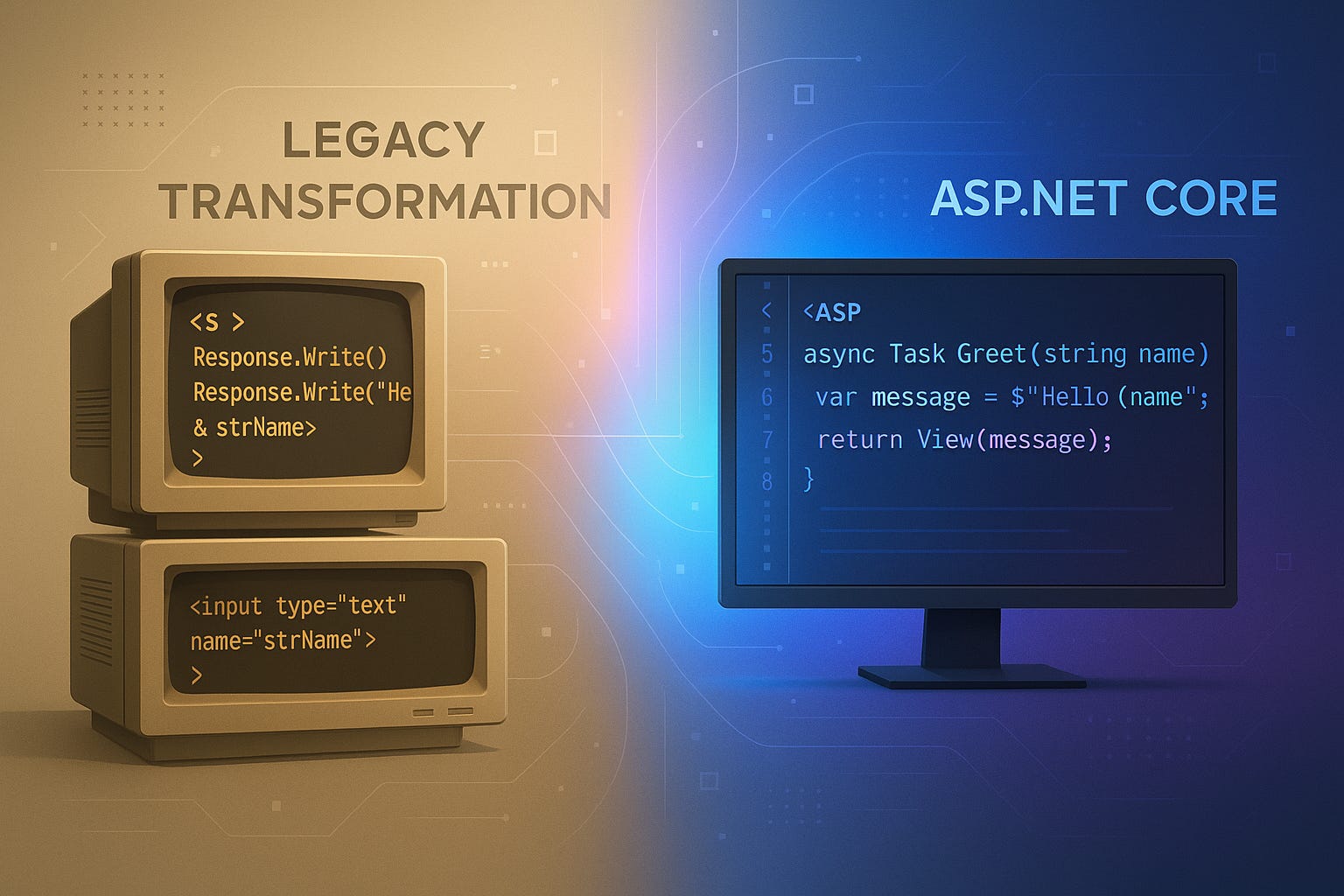
This comprehensive guide explores practical strategies for migrating ASP Classic applications to ASP.NET Core, offering a roadmap that balances technical requirements with business realities while minimizing risk and maximizing the benefits of modern web development.
Introduction
If you're reading this, chances are you're staring at an ASP Classic application that's been running faithfully for years, maybe even decades. It works, your users know it, and it contains years of accumulated business logic. Yet every day brings new reminders that it's time for a change: difficulty finding developers who know Classic ASP, security vulnerabilities that can't be easily patched, or the inability to integrate with modern services and APIs.
The good news is that migrating to ASP.NET Core doesn't have to be a nightmare scenario. With careful planning and the right approach, you can modernize your legacy applications while preserving the business value they've accumulated over the years. This journey from Classic ASP to ASP.NET Core represents more than just a technology upgrade; it's an opportunity to reimagine how your applications serve your business and users in today's digital landscape.
Understanding the Migration Landscape
Before diving into code and technical specifications, it's crucial to understand what you're working with and where you're heading. ASP Classic, released in 1996, revolutionized web development by allowing developers to mix server-side script with HTML. It served its purpose well, but the web has evolved dramatically since then. ASP.NET Core, Microsoft's modern, cross-platform framework, offers performance improvements, better security, and access to a vast ecosystem of tools and libraries that simply didn't exist when Classic ASP was king.
The differences between these technologies run deep. Classic ASP uses interpreted VBScript or JScript, while ASP.NET Core compiles to intermediate language, offering significant performance benefits. The older platform's limited object-oriented programming capabilities contrast sharply with ASP.NET Core's full support for modern programming paradigms. Perhaps most importantly, Classic ASP's Windows-only limitation feels increasingly restrictive in today's multi-platform world, where ASP.NET Core applications can run on Windows, Linux, or macOS.
Many organizations hesitate to begin migration because they view it as an all-or-nothing proposition. In reality, successful migrations often happen incrementally, allowing businesses to maintain operations while gradually modernizing their technology stack. This approach reduces risk and allows teams to learn and adapt as they progress through the migration journey.
Assessing Your Current ASP Classic Application
The first step in any migration project involves taking a comprehensive inventory of your existing application. This assessment goes beyond simply counting pages and databases; it requires understanding how your application serves your business and identifying the critical paths that keep your operations running.
Start by documenting your application's architecture. Map out how pages interact with each other, identify shared components and include files, and catalog any COM components or third-party dependencies. Pay special attention to database interactions, as these often represent the most complex aspects of legacy applications. Understanding your current data access patterns will be crucial when designing your new application's data layer.
Business logic embedded in Classic ASP pages often represents years of refined rules and processes. This logic might be scattered across multiple files, mixed with presentation code, or hidden in stored procedures. Identifying and documenting this business logic is essential for ensuring that your modernized application maintains functional parity with the original. Consider creating a business rules catalog that captures not just what the code does, but why it does it, drawing on institutional knowledge that might not be documented anywhere else.
Authentication and session management in Classic ASP applications often rely on custom implementations that have evolved over time. Document how users authenticate, how sessions are managed, and what authorization rules govern access to different parts of your application. This information will be vital when implementing ASP.NET Core Identity in your modernized application, ensuring that security improves without disrupting user workflows.
Performance bottlenecks in your current application can provide valuable insights for your migration strategy. Identify slow-running pages, database queries that bog down under load, or processes that consume excessive server resources. These pain points represent opportunities for significant improvements in your modernized application, and addressing them can help build support for the migration project among stakeholders who might otherwise be skeptical of the need for change.
Choosing Your Migration Strategy
With a clear understanding of your current application, you can choose a migration strategy that aligns with your business needs, technical capabilities, and risk tolerance. There's no one-size-fits-all approach to migration, and the best strategy for your organization will depend on factors like application size, available resources, and business constraints.
The "Big Bang" approach involves rewriting the entire application from scratch in ASP.NET Core. While this might seem like the cleanest solution, it carries significant risks. Development takes longer, testing becomes more complex, and the potential for missing critical functionality increases. However, for smaller applications or those requiring fundamental architectural changes, a complete rewrite might be the most practical option. This approach allows you to fully leverage ASP.NET Core's capabilities from the start, implementing modern patterns and practices without being constrained by legacy code structures.
A phased migration approach often provides a better balance of risk and reward. This strategy involves gradually replacing Classic ASP components with ASP.NET Core equivalents while maintaining a functioning system throughout the process. You might start by migrating peripheral features or read-only pages, gaining experience and confidence before tackling core business functionality. This approach allows you to validate your migration techniques on less critical components and refine your process as you go.
The strangler fig pattern, named after the tropical plant that gradually envelops and replaces its host tree, offers another incremental approach. With this strategy, you build new functionality in ASP.NET Core while leaving existing Classic ASP code in place. Over time, you redirect traffic from old endpoints to new ones, gradually "strangling" the legacy application until it can be retired entirely. This pattern works particularly well when you can use a reverse proxy or API gateway to route requests between old and new components seamlessly.
Some organizations opt for a hybrid approach, running Classic ASP and ASP.NET Core applications side by side for an extended period. While this requires maintaining two technology stacks, it can provide a practical solution when immediate full migration isn't feasible. This approach works best when you can clearly separate functionality between the two platforms and minimize the need for cross-platform communication.
Preparing for Migration
Successful migration requires thorough preparation that goes beyond technical considerations. Building the right team, establishing proper infrastructure, and setting realistic expectations are all crucial elements that can determine the success or failure of your migration project.
Your migration team should include not just developers but also business analysts who understand the application's business context, database administrators who can optimize data structures for the new platform, and quality assurance professionals who can ensure that functionality is preserved throughout the migration. If your team lacks experience with ASP.NET Core, invest in training before beginning the migration. The time spent learning the framework's best practices will pay dividends in reduced rework and fewer issues during migration.
Setting up a proper development and testing environment is essential for migration success. Create separate environments for development, testing, staging, and production, ensuring that each mirrors your production configuration as closely as possible. Implement version control if you haven't already, as you'll need to track changes across both the legacy and new applications during the migration period. Consider using containerization technologies like Docker to ensure consistency across environments and simplify deployment processes.
Establishing a comprehensive testing strategy before migration begins will save countless hours of debugging and rework later. Create test cases that cover critical business processes, edge cases that your current application handles, and integration points with external systems. Automated testing becomes particularly valuable during migration, as it allows you to quickly verify that functionality remains intact as you refactor and modernize code. Don't forget about performance testing; your modernized application should not only match but exceed the performance of your Classic ASP application.
Technical Migration Process
The actual process of converting Classic ASP code to ASP.NET Core involves numerous technical decisions and transformations. Understanding these technical aspects helps ensure that your migration preserves functionality while taking advantage of modern development practices.
Data access represents one of the most significant changes when moving from Classic ASP to ASP.NET Core. Classic ASP applications typically use ADO with direct SQL queries, often with SQL statements constructed through string concatenation. This approach, while functional, opens applications to SQL injection attacks and makes code difficult to maintain. ASP.NET Core offers multiple data access options, from Entity Framework Core for object-relational mapping to Dapper for lightweight data access. Choose an approach that balances your team's expertise with your application's performance requirements.
When migrating data access code, resist the temptation to simply port SQL queries directly into your new application. Instead, take this opportunity to implement proper data access patterns. Create repository classes that encapsulate database operations, use parameterized queries to prevent SQL injection, and implement proper connection management using dependency injection. These improvements not only make your code more secure and maintainable but also easier to test and modify in the future.
The transition from Classic ASP's procedural programming model to ASP.NET Core's object-oriented approach requires rethinking how you structure your application. Business logic scattered across ASP pages should be consolidated into service classes that can be tested independently of the web framework. Presentation logic should be separated from business logic using the Model-View-Controller (MVC) pattern or Razor Pages, depending on your preference and application requirements.
State management undergoes a fundamental shift when moving to ASP.NET Core. Classic ASP's Session object, while familiar, has limitations in scalability and reliability. ASP.NET Core provides multiple options for managing state, from in-memory caching for temporary data to distributed caching using Redis for scalable session management. For applications requiring real-time updates, consider implementing SignalR to provide WebSocket-based communication between client and server.
Converting Classic ASP pages to ASP.NET Core views or Razor Pages requires careful attention to maintain functionality while improving code organization. Start by identifying common page layouts and creating layout templates that can be shared across multiple pages. Extract inline server-side script into controller actions or page handlers, separating presentation concerns from business logic. Replace Classic ASP's Response. Write statements with proper view rendering, taking advantage of Razor syntax for cleaner, more maintainable templates.
Error handling and logging require special attention during migration. Classic ASP's limited error handling capabilities often lead to applications that fail silently or provide cryptic error messages. ASP.NET Core's structured exception handling, combined with modern logging frameworks, allows you to implement comprehensive error tracking and debugging capabilities. Implement global exception handling to catch and log unexpected errors, use structured logging to capture detailed diagnostic information, and consider integrating with application performance monitoring tools to track issues in production.
Handling Authentication and Security
Security considerations take center stage when modernizing legacy applications, as Classic ASP applications often rely on outdated authentication mechanisms that don't meet modern security standards. The migration to ASP.NET Core provides an opportunity to implement robust, modern security practices that protect both your application and your users' data.
Classic ASP applications frequently use custom authentication systems built around session variables and database lookups. While functional, these systems often lack features that users expect today, such as multi-factor authentication, secure password reset workflows, and protection against common attacks. ASP.NET Core Identity provides a comprehensive authentication and authorization framework that includes these features and more, all built according to current security best practices.
Migrating user accounts from Classic ASP to ASP.NET Core Identity requires careful planning to ensure that users can continue accessing the system without disruption. If your Classic ASP application stores passwords in plain text or uses weak hashing algorithms, you'll need to implement a migration strategy that enhances security without locking out existing users. One approach involves creating a compatibility layer that validates credentials against the old system during a user's first login, then transparently migrates their account to the new system with properly hashed passwords.
Authorization patterns often need complete reimagining during migration. Classic ASP applications might check user permissions using inline code scattered throughout pages, making it difficult to maintain consistent security policies. ASP.NET Core's policy-based authorization system allows you to define reusable authorization requirements that can be applied declaratively to controllers and actions. This approach not only improves security by centralizing authorization logic but also makes it easier to audit and modify access controls as requirements change.
Protecting against common web vulnerabilities becomes easier with ASP.NET Core's built-in security features. The framework automatically protects against cross-site request forgery (CSRF) attacks through anti-forgery tokens, provides built-in protection against open redirect attacks, and includes features for preventing cross-site scripting (XSS) through automatic HTML encoding. However, securing your ASP.NET applications requires more than just relying on framework features; you'll need to implement proper input validation, use HTTPS everywhere, and follow security best practices throughout your application.
Database Migration Considerations
Database migration often represents the most complex and risky aspect of modernizing Classic ASP applications. Years of accumulated data, evolved schemas, and business-critical stored procedures require careful handling to ensure data integrity and application functionality throughout the migration process.
Start by analyzing your current database schema and identifying opportunities for improvement. Classic ASP applications often accumulate technical debt in their database layer, with denormalized tables, missing constraints, and inconsistent naming conventions. While it might be tempting to redesign everything from scratch, pragmatism should guide your decisions. Focus on changes that provide clear benefits, such as adding missing foreign key constraints or indexes that improve query performance, while avoiding changes that would require extensive application code modifications.
Stored procedures present a particular challenge during migration. Classic ASP applications often contain substantial business logic in stored procedures, which can make the database tightly coupled to the application. Decide whether to maintain this architecture or gradually move business logic into the application layer. If you choose to keep stored procedures, ensure they're properly documented and version controlled. Consider using Entity Framework Core's stored procedure mapping capabilities to integrate them seamlessly with your new application's data access layer.
Data migration strategies must account for the reality that most applications can't afford extended downtime. Develop a migration plan that minimizes disruption, possibly using techniques like database replication to maintain synchronization between old and new systems during the transition period. Create comprehensive rollback procedures in case issues arise during migration, and test these procedures thoroughly before attempting production migration.
Performance optimization opportunities abound when modernizing your database layer. Classic ASP applications often suffer from N+1 query problems, where code makes multiple database calls when one would suffice. Entity Framework Core's eager loading capabilities can eliminate these inefficiencies, while proper use of async/await patterns can improve application responsiveness under load. Take advantage of modern SQL Server features like columnstore indexes for analytical queries or in-memory OLTP for high-frequency transaction processing, features that might not have existed when your Classic ASP application was originally developed.
Managing the Transition Period
The period during which both Classic ASP and ASP.NET Core applications run simultaneously requires careful orchestration to maintain system stability and user experience. This transition phase, often lasting months or even years for large applications, demands strategies for managing complexity while minimizing risk.
Communication between old and new systems becomes crucial during parallel operation. You might need to share session state between Classic ASP and ASP.NET Core applications, synchronize data across different database schemas, or coordinate business processes that span both platforms. Consider implementing a message queue or event bus to decouple systems and provide reliable communication. This approach not only solves immediate integration challenges but also positions your application for future microservices architectures if desired.
User experience consistency requires attention when users might interact with both old and new parts of your application during a single session. Maintain visual consistency by sharing stylesheets and JavaScript libraries between platforms, ensure that navigation works seamlessly regardless of which platform serves a particular page, and implement single sign-on capabilities so users don't need to authenticate multiple times. These efforts might seem minor, but they're crucial for maintaining user confidence during the transition.
Monitoring and observability become even more critical when running parallel systems. Implement comprehensive logging and monitoring across both platforms, using tools that can correlate events between systems. Track key metrics like response times, error rates, and resource utilization for both applications, allowing you to identify issues quickly and validate that the new system performs as well as or better than the legacy system. This data also provides valuable evidence to stakeholders that the migration is proceeding successfully.
Feature flags and gradual rollout strategies help manage risk during transition. Instead of switching all users to new functionality at once, use feature flags to control who sees what, allowing you to test new features with a subset of users before full deployment. This approach lets you validate functionality with real users while maintaining the ability to quickly revert if issues arise. Gradually increase the percentage of traffic directed to new components as confidence grows, monitoring carefully for any degradation in performance or functionality.
Testing and Quality Assurance
Quality assurance takes on heightened importance during migration, as you must ensure not only that new code works correctly but also that it maintains functional parity with the system it's replacing. A comprehensive testing strategy that covers multiple levels of testing helps catch issues before they impact users.
Unit testing, often absent in Classic ASP applications, becomes feasible and valuable in ASP.NET Core. Write unit tests for business logic components, data access layers, and utility functions. These tests provide a safety net during refactoring and help ensure that code behavior remains consistent as you modernize. Aim for high code coverage in critical business logic areas, but remember that code coverage percentages alone don't guarantee quality; focus on testing meaningful scenarios that reflect real-world usage.
Integration testing validates that different components work together correctly. Test database operations to ensure that data is correctly retrieved and persisted, API endpoints to verify that they return expected results, and authentication flows to confirm that security measures function properly. ASP.NET Core's TestServer capabilities allow you to test your entire application pipeline in memory, providing fast, reliable integration tests that don't require external dependencies.
End-to-end testing confirms that complete user workflows function correctly across the entire application. These tests are particularly important during migration, as they verify that functionality users depend on continues to work regardless of which platform provides it. Automate critical business processes using tools like Selenium or Playwright, but balance the value of comprehensive testing against the maintenance burden of brittle UI tests.
Performance testing shouldn't wait until after migration is complete. Establish performance baselines for your Classic ASP application, then regularly test your modernized components to ensure they meet or exceed these baselines. Load testing helps identify bottlenecks that might not appear during normal development testing, while stress testing reveals how your application behaves under extreme conditions. Use tools like Apache JMeter or NBomber to simulate realistic user loads and identify performance issues before they impact production users.
Regression testing becomes crucial as migration progresses. Every change to either the legacy or new system potentially impacts existing functionality. Maintain a comprehensive regression test suite that covers core business processes, edge cases that have caused issues in the past, and integration points with external systems. Automate as much regression testing as possible to enable frequent testing without excessive manual effort.
Deployment and DevOps Considerations
Modern deployment practices represent a significant departure from the typical Classic ASP deployment process. While Classic ASP applications often relied on manual file copying or basic scripts, ASP.NET Core applications benefit from sophisticated deployment pipelines that ensure consistency and reliability.
Implementing continuous integration and continuous deployment (CI/CD) transforms how you deliver software updates. Azure DevOps provides comprehensive CI/CD capabilities that integrate seamlessly with ASP.NET Core applications. Set up build pipelines that compile your code, run tests, and package applications for deployment. Create release pipelines that deploy to different environments based on your branching strategy, with appropriate approvals and quality gates between stages.
Containerization using Docker provides consistency across environments and simplifies deployment. Package your ASP.NET Core application as a container image that includes all dependencies, ensuring that the application runs identically in development, testing, and production. Container orchestration platforms like Kubernetes enable sophisticated deployment strategies, including blue-green deployments that allow zero-downtime updates and canary releases that gradually roll out changes to minimize risk.
Infrastructure as Code (IaC) principles ensure that your deployment environments are reproducible and version-controlled. Use tools like Terraform or Azure Resource Manager templates to define your infrastructure declaratively, making it easy to create identical environments for testing or disaster recovery. This approach eliminates the configuration drift that often plagues manually configured environments and makes it easier to scale your application as demand grows.
Monitoring and observability in production require more sophisticated approaches than Classic ASP's limited logging capabilities. Implement structured logging using libraries like Serilog, which allow you to capture rich, queryable log data. Use Application Performance Monitoring (APM) tools like Application Insights or New Relic to track application performance, identify bottlenecks, and diagnose issues in production. Implement health checks that allow load balancers and orchestration platforms to automatically detect and respond to application issues.
Post-Migration Optimization
Once your application successfully runs on ASP.NET Core, the real optimization work begins. The migration process often focuses on maintaining functional parity with the legacy system, but post-migration optimization allows you to fully leverage the capabilities of the modern platform.
Performance optimization opportunities abound in ASP.NET Core applications. Implement response caching to reduce server load for frequently accessed content, use distributed caching to share data across multiple application instances, and leverage HTTP/2 and HTTP/3 capabilities for improved network performance. ASP.NET Core's built-in performance features, like response compression and static file handling, can significantly improve application responsiveness with minimal configuration.
Code refactoring becomes easier once the pressure of migration subsides. Identify areas where migration compromises were made and systematically improve them. Replace quick-and-dirty conversions with proper implementations that follow SOLID principles and design patterns. Consolidate duplicate code into reusable components, implement proper dependency injection throughout your application, and refactor complex methods into smaller, more maintainable units.
Adopting modern development practices enhances your team's productivity and code quality. Implement code reviews to share knowledge and catch issues before they reach production. Adopt consistent coding standards using tools like StyleCop or .editorconfig. Practice test-driven development for new features, ensuring that testing becomes an integral part of development rather than an afterthought. These practices not only improve code quality but also make it easier for new team members to contribute effectively.
Cloud optimization can dramatically reduce operational costs and improve scalability. If you've migrated to cloud infrastructure, take advantage of platform-specific services like Azure App Service's autoscaling capabilities or AWS Lambda for serverless computing scenarios. Implement cost optimization strategies like right-sizing compute resources, using reserved instances for predictable workloads, and leveraging spot instances for fault-tolerant batch processing.
Lessons Learned and Best Practices
Organizations that have successfully migrated from Classic ASP to ASP.NET Core consistently report similar lessons learned and best practices that can guide your own migration journey.
Communication and stakeholder management prove just as important as technical execution. Keep stakeholders informed about migration progress, challenges, and successes. Celebrate milestones to maintain momentum and morale. Be transparent about issues and setbacks, presenting them as learning opportunities rather than failures. Regular demos of new functionality help build excitement and buy-in for the migration project.
Documentation throughout the migration process pays dividends long after the project completes. Document not just what was done but why decisions were made, capturing the context that future maintainers will need. Create runbooks for common operational tasks, migration guides for similar future projects, and architectural decision records that explain significant technical choices. This documentation becomes invaluable when onboarding new team members or troubleshooting issues months or years later.
Training and skill development should be ongoing throughout the migration process. Provide formal training on ASP.NET Core and related technologies, but also create opportunities for informal learning through pair programming, code reviews, and technical discussions. Encourage team members to attend conferences, participate in online communities, and pursue certifications that deepen their expertise. The investment in your team's skills pays off not just during migration but in the improved velocity and quality of future development.
Risk management strategies help prevent migration projects from derailing. Maintain a risk register that identifies potential issues and mitigation strategies. Have rollback plans for every major change. Keep stakeholders informed about risks and the steps being taken to address them. Build buffer time into project schedules to account for unexpected challenges. These practices help ensure that setbacks don't become project-ending crises.
Conclusion
Migrating from Classic ASP to ASP.NET Core represents a significant undertaking, but one that positions your organization for future success. The journey requires careful planning, technical expertise, and organizational commitment, but the benefits – improved performance, better security, easier maintenance, and access to modern development tools and practices – make the effort worthwhile.
Remember that migration is not just about changing technology; it's about transforming how your organization develops and delivers software. The process provides an opportunity to eliminate technical debt, implement best practices, and build a foundation for future innovation. Teams that successfully complete migration often report increased job satisfaction as developers work with modern tools and practices rather than struggling with legacy limitations.
Success requires patience and persistence. Migration projects rarely proceed exactly as planned, and flexibility in responding to challenges often determines the difference between success and failure. Celebrate small victories along the way, learn from setbacks, and maintain focus on the long-term benefits that modernization brings.
The path from Classic ASP to ASP.NET Core might be challenging, but countless organizations have successfully made this journey. With proper planning, the right team, and commitment to seeing the process through, your organization can join them in reaping the benefits of modern web development. The legacy application that served you well for years can evolve into a modern, maintainable, and scalable system ready for whatever challenges the future brings.
Join the ASP.NET Community
Ready to embark on your modernization journey? Subscribe to ASP Today for weekly insights, tutorials, and real-world experiences from developers navigating the path from legacy to modern ASP.NET development. Join our vibrant community on Substack Chat where you can connect with fellow developers, share your migration challenges, and celebrate your successes. Together, we're building the future of ASP.NET development, one migration at a time.